
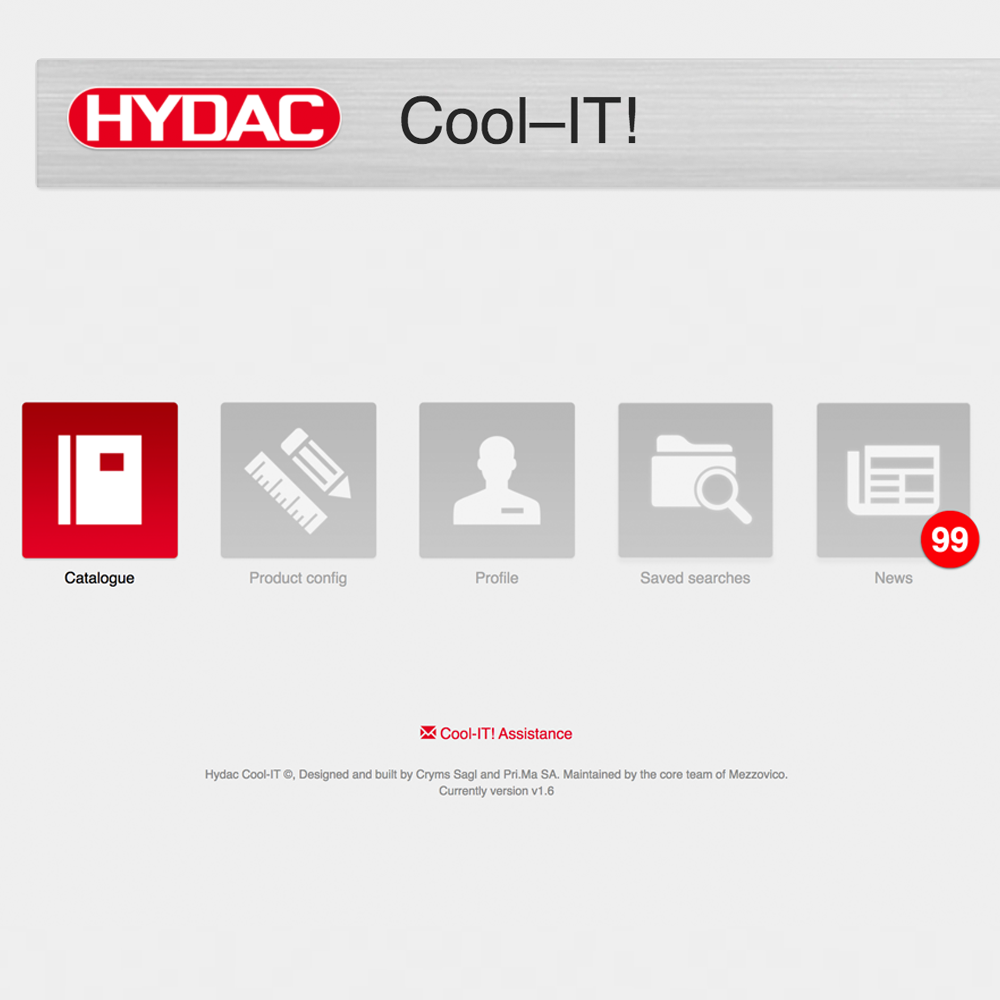
HYDAC YouTube Webinar “Cooling sizing software “Cool-iT”
Learn about:
- Sizing of an air blast cooler on mobile machinery
- Sizing of an air blast cooler on an industrial machine
- Sizing of a water-glycol cooler for electronic equipment
- Supporting customers/end users when changing specifications
In this webinar, HYDAC National Development Manager for Cooling Systems Andrea Cimadoro meets strong industry demand to know more about air blast cooler sizing with HYDAC's Cool-iT software.
Andrea Cimadoro: This presentation is all about sizing any airblast cooler globally with Cool-iT software via practical examples.
So let’s peek now into the crazy world of cooler sizing.
On this note, I’d advise anyone interested in cooler sizing to download HYDAC’s “das buch” or what we call “the book” in pdf format. The book and Cool-iT combination can help anyone find the right cooler in record time.
Three airblast sizing software demonstrations
In this presentation, I'll delve into three airblast sizing software cases centred on Cool-iT’s 1.6 version, which is available to all HYDAC employees and official service partners (standalone version also available).
Demonstration exercise one
This demonstration exercise is based on real enquiries from internal and external sales in Australia.
Data input:
- Excavator engine: 33.6HP
- Hydraulic system usage of power: 25kW
- Available power: 12V DC
- Hydraulic oil: ISO 68
- Flow rate: 46L/min
- Space available: {L.450xW:250xH:500}mm
- Integrated thermal bypass (IBT): preferred
In this case, the customer pinpointed that he wanted a cooler driven by a 12V DC, with available space specified:{L.450xW:250xH:500}mms.
The customer also pointed out that the excavator operates when heated - the oil getting near to say 100°C - meaning ideally we would need to pull around 30°C out of the system (the system's ideal temperature is below 60°C).
What is your best cooling option, HYDAC?
When we have an enquiry such as the aforementioned, we immediately do Cool-iT software sizing.
We start with product configuration: either wizard or manual.
I strongly suggest the wizard version is used because it provides step-by-step guidance. Once you are familiar with it you can go straight to manual.
So let’s start with wizard. For type of medium, the customer specified oil, so we’ll enter it in wizard mode, specifying ISO VG68.
Moving on, we won’t select other forms of fan drive because the customer has specified he wants 12V. If the customer isn’t sure Cool-iT provides all other options available from AC, DC to hydraulic during the Cool-iT enquiry section.
The next step is "liquid flow" - say 46L/min - with "maximum inlet temperature" at 100°C.
The customer didn’t specify ambient temperature, which is not unusual in that customers don’t usually specify maximum ambient temperature or temperature range. This is however an important value because the excavator in question could be operating in New Zealand or Tasmania, where it could be cold in the morning.
Therefore it’s important to request ambient temperature specifications from the customer as well as range from minimum to maximum temperature.
In this case, we’ll enter 45°C in the box. Now we see that the software comes up with a warning that we don’t need to heed because the software was developed in Europe where 40°C is not the norm. Here we’re just starting to get hot at 40°C - that’s the Australian way!
Power section of enquiry critically important
A critically important part of this exercise is calculating power in kilowatts. Two boxes come up here: “tank increasing temperature” and “existing cooler”. For the former - “tank increasing temperature” - we need more data.
For “existing cooler”, if we have 46L/min the “input temperature” is 100°C and the “output temperature” below 60°C ideally.
However, this is contradictory, requiring a reduction of 30°C down to 70°C. So we can input “output temperature” to 70°C and then click “calculate”.
Under “how do you want to optimise your search” we can request the cooler for heat exchange and we submit the question. However, as you can see no results are forthcoming.
This is because the specifications are not based on a real scenario in that we cannot expect more kilowatts of the cooler than that which the engine generates.
In that the engine is generating 25kW, we don’t need to cool it in its entirety - just a percentage of it.
HYDAC’s solution
There is an inefficiency in the system in that there are 25kW of power, which is 25 to 30 per cent of the power.
The reality is that if we calculate the real power required it’s actually 70kW.
And instead of entering the “max inlet liquid temperature”, we calculate according to customer specification, which is below 60°C.
Therefore 60°C should be “max inlet liquid temperature”. This entry refers to the worst condition in which the machine can operate.
The message that I want to convey is that a cooler has to be sized according to the worst condition in which the machine in question can operate. This is not the highest temperature that you see in the cooler - it's actually the lowest differential temperature, which is 60°C to 45°C in this case.
This constitutes the worst condition for this cooler to operate in Australia. So, let's see what our enquiry gives us now. Suddenly we have a winner: either an ELD5H/3 cooler or an ELD6H/3 cooler.
Now we have a solution: we have 17 per cent extra power.
In your own time, you can go through the enquiry section and view all the technical data that accompanies ELD files.
For example, if we want a pressure drop and the like we can export it to receive input from charts to drawings. We then will have access to a report for the customer, OEM or end-user where selection, design and model can be viewed.
Coming back to the selector, we see that as we now have a result we have the option to change parameters.
For example, how does the picture change if the excavator only operates in the CBD, never reaching more than 40°C? Here we can input a different ambient temperature, and we can see a different result.
If the ambient temperature is 40°C, the best option on offer is the ELD4H. From there we can open up the software and determine the nearest cooler - that’s the beauty of this software.
Once we’ve determined that the ELD4H is the best option, it’s possible to see one size down and one size up.
We can also see thermally, which means that if the ambient temperature doesn’t exceed 40°C the best option is the ELD4H, which is by chance the same size specified by the customer.
There is however the necessity to go one size up if a higher ambient temperature is on the cards and one size down if a lower ambient temperature is on the cards, such as in New Zealand and Tasmania.
This underscores how important it is to know the exact ambient temperature because it can drive a difference of two or three sizes.
A customer could say well I’m not sure about that, ie you move 100°C to 60°C but what about if I take my ELD4H and increase my inlet temperature.
In this case, I would suggest that the customer plays with the software in order to realise that more cooling power is added on. Moreover, this increase is not negligible, which would compromise the cooler’s performance.

Demonstration exercise two

The next exercise centres around a cone crusher that is overheating in an oil recirculation system.
Input data:
- Crusher shut down trip set at 69°C
- Cooler fan switches on at 45°C
- ISOVG150 - mobile gear 629
- Ideal operating temperature: 45°C to 58°C
- Pressure bypass three-bar
- Tank volume 350L
- Pump flow 200L/min
- Electric supply - three-phase, 415V, 50Hz
- Maximum ambient temperature 40°C
Now let’s size it together with Cool-iT’s wizard sizing software.
We’ll tick the “AC 400V - 3PH - 50HZ” box as we're in Australia; we don’t need to pay attention to any of the other voltage options.
“Liquid flow” is 200L/min , “max inlet liquid temperature” is 60°C, and “max ambient temperature” is 40°C.
We can tick the “multiple” box if we so desire, we can run “altitude”, and we can find at least five solutions. The best solution at -1% is the AC-LN14S/1; the same job can be done with the 2x AC-LN11 S. However if you want to be a bit more reserved the solution at 4% is the 2x AC-LN 12L.
And if we select an option in the middle of the enquiry software - the 2x AC-LN 12L - we receive more data, including power chart and dP chart information.
Demonstration exercise three
This exercise centres on a customer wanting to increase the cooling capacity of an electrical control cabinet by more than 50%.
Input data:
- Water/glycol: 50/50%
- Total system volume: 220L
- Heat load: existing cooler 50kW
- W/G flow: 175L/min
- Max W/G temperature: 60°C
- Ambient max: 40°C
What is the solution - parallel or series?
In this application, we use an air blast cooler to cool electronic equipment via a cold plate already integrated into the electrical apparatus.
So once again let’s return to Cool-iT’s wizard. Under “type of medium” we’ll select water/glycol. Under “Glycol” we’ll put in "50" as the mixture is 50% water/glycol. Again it’s an electrical industrial cooler so we’ll tick “AC 400V - 3PH - 50Hz” in the enquiry section.
The “liquid flow” in this case is 175L/min, the “max inlet liquid temperature” 60°C and the “max ambient temperature” 40°C.
For “allow multiple” we’ll allow for 3 or 4 different ones.
Under “power” the existing value is 50kW. Let’s however evaluate this with wizard, which gives us a “tank volume” of 200L, an “initial temperature” (in the morning) of 20°C, a “final temperature” of 60°C, and 10 minutes of “time”, making for 53kW (prior design of the system).
What has happened here is that the tank volume is the same, the initial temperature is the same, the final temperature is the same, and the (ΔT) Delta T is 40°C in 10 minutes.
The question that comes to the fore here is why does the customer need doubled power?
Well, most probably the fluid is being heated up faster than before by the electronics. And if it heats up in five minutes instead of 10 minutes, the power value on the wizard doubles to 107kW.
Now if we keep the “power” value at 107kW on wizard, click "next" to “how do you want to optimise your search” and select “heat exchange” from options to “submit”, we clearly see that we’re looking at the 2x AC-LN 11S.
We can go back and change the “power” value to 50 and we’re then looking at the AC-LN 10S - 50% more than before (actually at AC-LN 12L).
This underscores how critical the cooling time is on a system. As a result, you may need to double up cooling power because the system is getting hotter, faster - the purpose of this demonstration exercise.
Also chucking in another series to an existing series is not a solution.
2x AC-LM10S versus 1x AC-LN12S

If you're not convinced, play around with the Cool-iT software a bit. We’ve done that internally so I’ll give you an example focused on the 2x AC-LM 10S versus the 1x AC-LN 12S.
Here if you put a single cooler at one litre per minute you get 103kW whereas if you put in two twin series you get 220kW. But if you put in parallel, as we recommend, you’ll get more every time at 164kW.
I hope you’re now convinced and it’s clear to you that parallel cooling is much better than series cooling.
If you’re now motivated to delve deeper into physics we have a course on cooling system thermal optimisation. Here we don’t just teach you how to size a cooler but also how to tackle a thermal issue. We’ve done the course for several years and soon it'll be accessible online.
Contact us for more information


